One operating system for every way you sell.Start for free
Queek logo
Orders · Queek OS

Every order, every channel,.

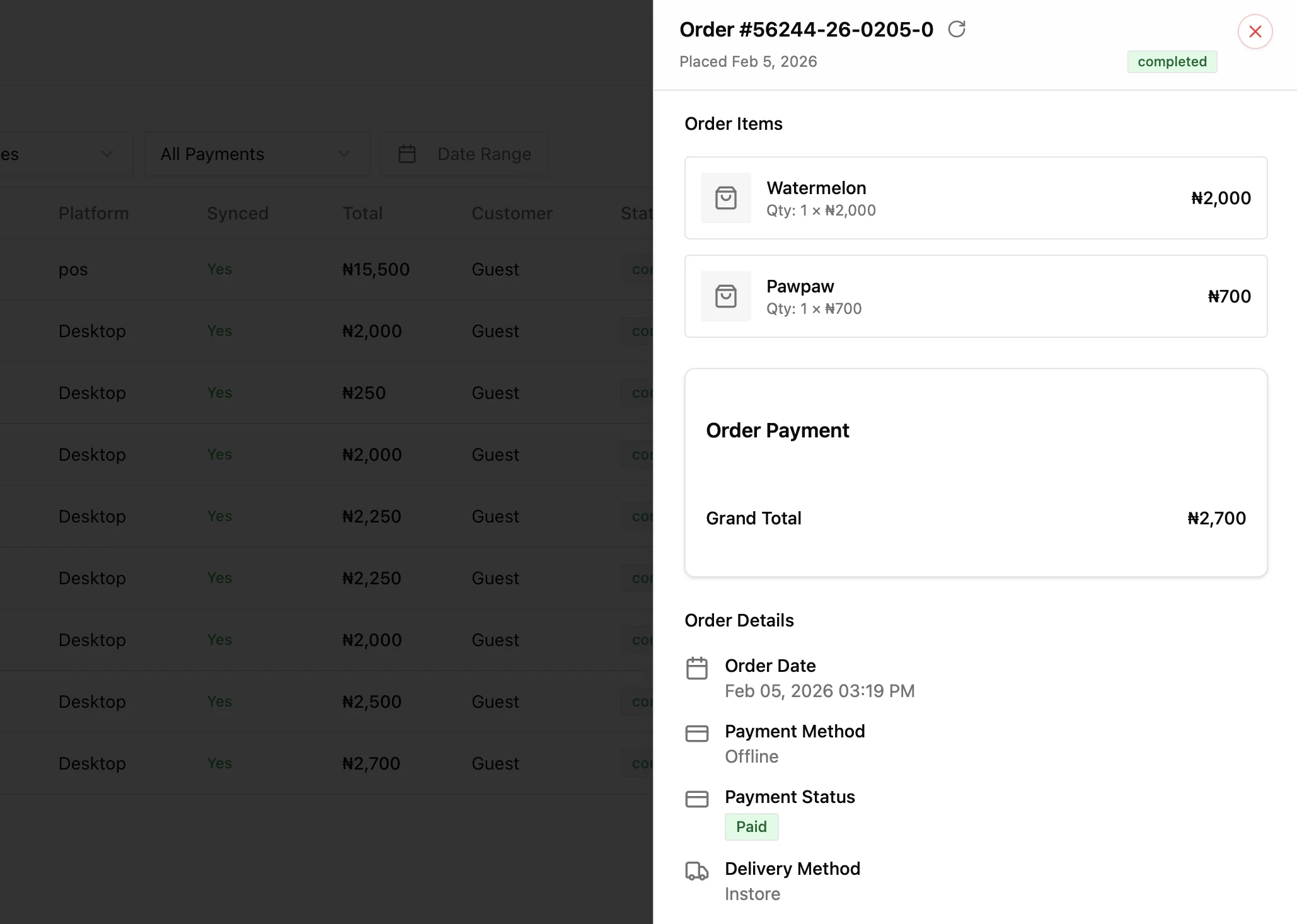
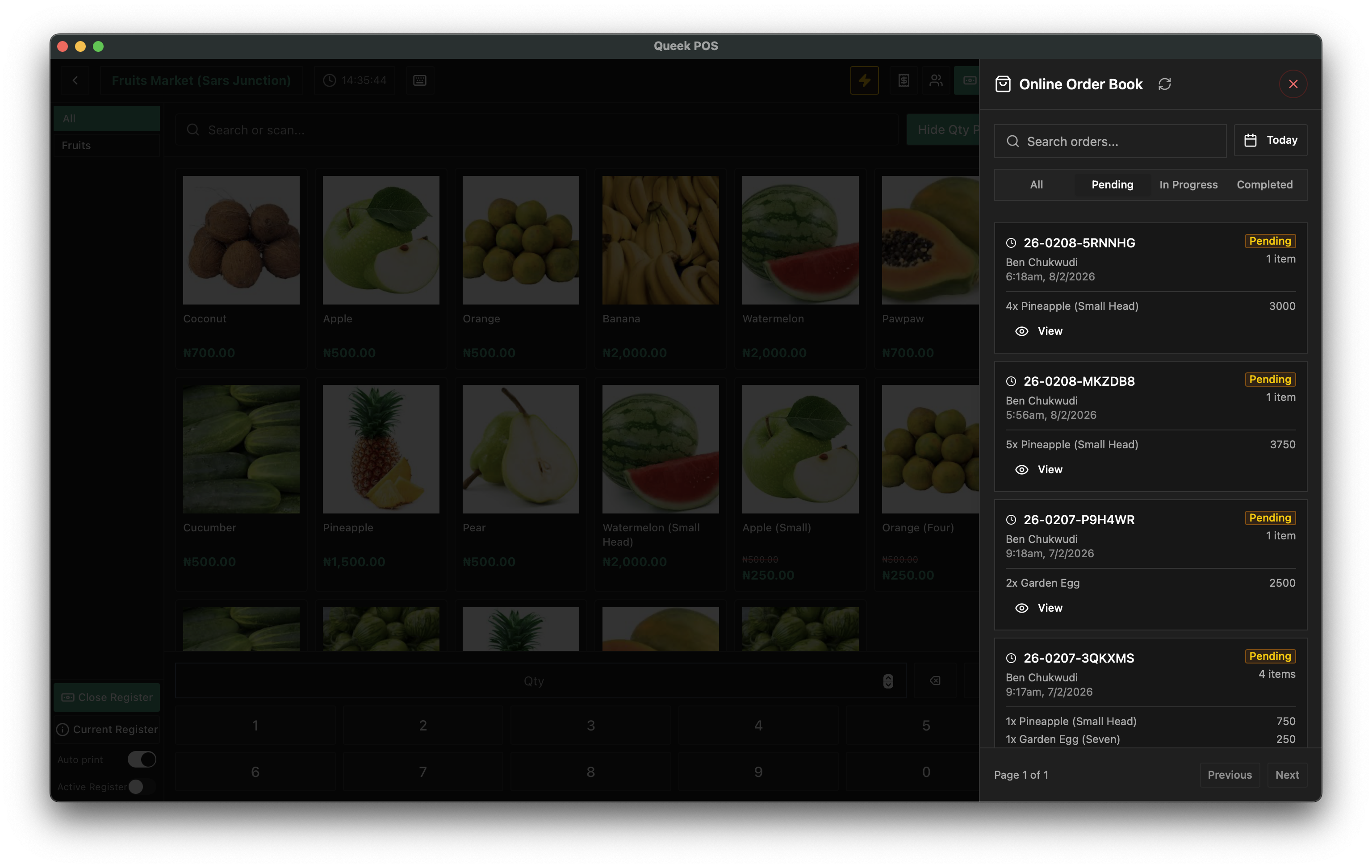
Orders from your online store, the WhatsApp AI Agent, Instagram, the POS, and QR tables all land in one place. One queue, one consistent flow from new to delivered, with the customer, the payment, and the fulfillment attached to each one. Stop juggling orders across apps and chats. Nothing gets missed.

Every channel, one queueOne status flowNothing missed

Orders · All channels

Today

6 active
  • #2043· Chika Obi

    WhatsApp · ₦8,400

    New
  • #2042· Femi Ade

    Online Store · ₦12,000

    Preparing
  • #2041· Bola K.

    Instagram · ₦3,200

    Ready
  • #2040· Walk-in

    POS · Counter · ₦6,750

    Out for delivery
  • #2039· Tunde M.

    QR · Table 6 · ₦9,100

    Completed

One queue behind every channel — every order lands in the same place, on the same flow.

Orders today

Orders scattered across chats, apps, and the counter.

A WhatsApp order here, an Instagram DM there, a POS receipt at the till, a phone call you wrote on a sticky note. No single place to see what is new, what is being prepared, and what still has to go out. Something always slips.

Orders by hand

Every channel is its own inbox to chase.

  • WhatsApp chats, DMs, POS, and phone calls each kept separately
  • No single view of what is new, preparing, ready, or out
  • Payments and addresses scattered across screenshots and notes
  • Busy hour hits and an order quietly gets missed
One queue

Every order, in one place, on one flow.

  • Every channel lands in the same queue, newest on top
  • One status flow from new to accepted, preparing, ready, and out
  • Customer, payment, and fulfillment attached to every order
  • A clear record of who did what, so nothing falls through
The signature moment

One order, from new to delivered, in one flow.

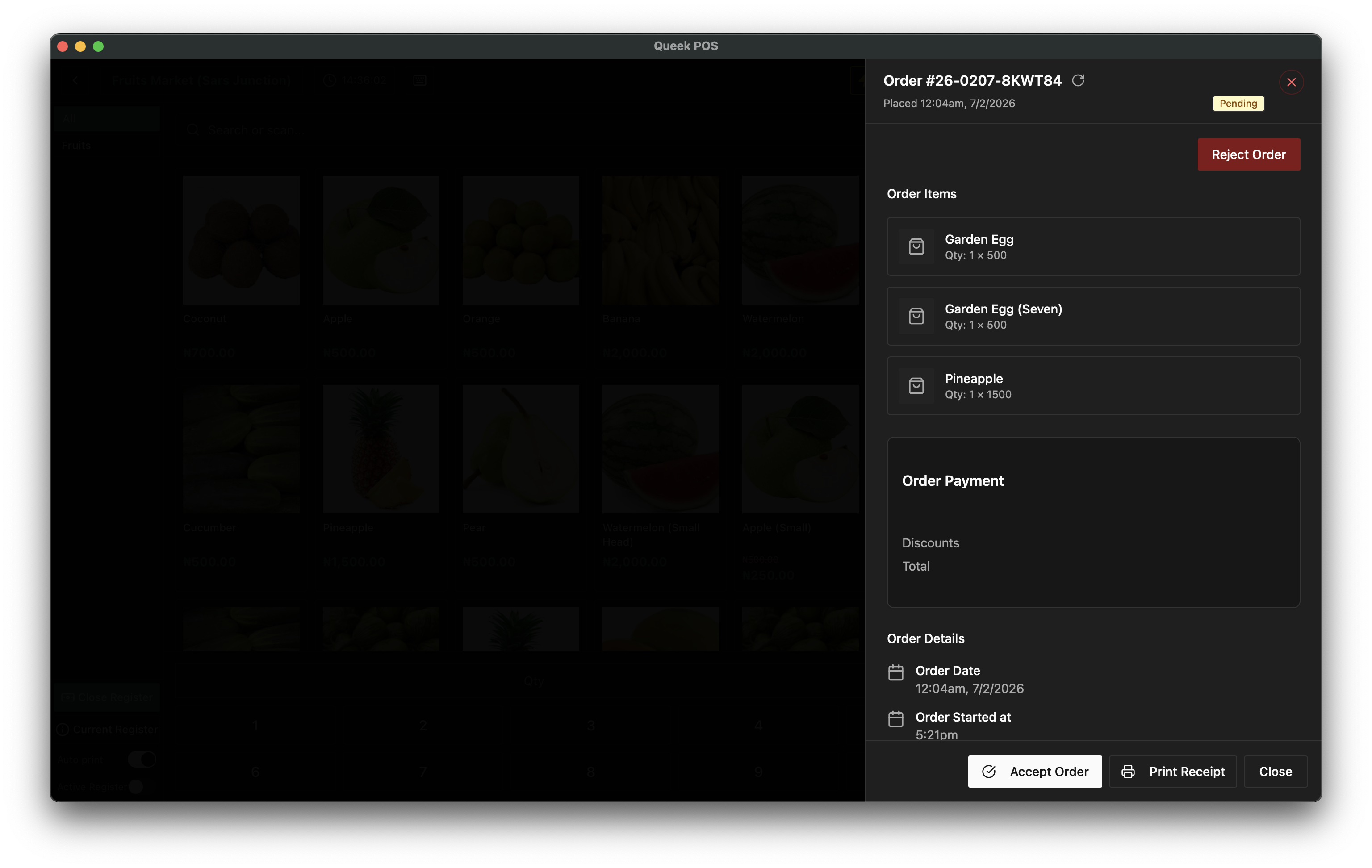
Watch orders from every channel land in one queue, then follow one of them move through a single, consistent flow. As it advances, the payment confirms, the customer comes attached, and a rider is assigned — without leaving the screen or copying anything between apps.

  • Every channel, one queue

    Store, WhatsApp, Instagram, POS, and QR orders arrive in the same list.

  • One consistent flow

    New, accepted, preparing, ready, out for delivery, completed — every time.

  • Everything attached

    Payment status, customer, items, and fulfillment travel with each order.

Q

Order queue · Today

Every channel, one place

  • #2043· Chika Obi

    WhatsApp · 3 items · ₦8,400

    Out for delivery
  • #2042· Femi Ade

    Online Store · 2 items · ₦12,000

    Preparing
  • #2041· Bola K.

    Instagram · 1 item · ₦3,200

    Ready
  • #2040· Walk-in

    POS · Counter · 4 items · ₦6,750

    Completed

#2043 · via WhatsApp

Following one order

Out for delivery
  • 2Jollof & Grilled Chicken
  • 1Chapman (50cl)
Order total₦8,400
  1. New
  2. Accepted
  3. Preparing
  4. Ready
  5. 5Out for delivery
  6. 6Completed
Customer

Chika Obi

GRA Phase 2 · Port Harcourt

Payment

Confirmed

Transfer · auto-confirmed

Fulfillment

Out for delivery

Rider · Emeka

What the order queue does

Everything an order needs, on one screen.

Not a notification feed bolted onto a chat app. The queue lives inside the same Queek OS that runs your catalog, payments, POS, and AI Agent, so every order carries real stock, real prices, and a real customer record.

One unified queue

Every order from every channel in a single list, newest on top, with nothing kept in a separate app.

Channel tags

See at a glance where each order came from — store, WhatsApp, Instagram, POS, or a QR table.

One status flow

New, accepted, preparing, ready, out for delivery, completed — the same flow for every order.

Accept or reject

Take an order or turn it down in a tap, and the customer is told without you typing a thing.

Assign to staff

Hand an order to a cashier, the kitchen, or a branch, so everyone knows who owns what.

Payment attached

Each order shows whether it is paid, with auto-confirmed transfers so you never chase proof.

Linked to delivery

Push a ready order to a rider or pickup, and the customer gets live tracking back.

Notes, refunds & cancels

Add order notes, issue a refund, or cancel cleanly, all kept on the order's own record.

One order
Every channel · one queue
One record, read everywhere
One order queue
Catalog · stock decrementedin step
Payments · auto-confirmedin step
Delivery · dispatchedin step
Customers · history savedin step
One layer of the OS

The queue every other part of Queek feeds into.

An order is never just a message. The moment it lands, the catalog decrements stock, the payment confirms, delivery dispatches, the customer's history updates, and the team inbox is in step. One order, one record, read by the whole business.

  • Catalog & inventory

    Stock is decremented the moment an order is accepted, across every channel.

  • Payments

    Transfers and card payments confirm against the order, so paid is really paid.

  • Delivery & fulfillment

    A ready order dispatches to a rider or pickup, with tracking sent back to the customer.

  • Customers & inbox

    Order history saves to the customer, and the team inbox stays in step with the queue.

Where orders come from

Every order surface lands in the same queue.

It does not matter where a customer chooses to buy. The order arrives in one place, tagged with its channel, on the same flow as every other order.

Online store

Checkouts from your storefront and custom domain.

WhatsApp AI Agent

Orders the AI Agent closes in chat, 24/7.

Instagram & DMs

Social orders from comments and direct messages.

POS & counter

Walk-in and counter sales rung up in-store.

QR ordering

Scan-to-order from tables, rooms, and shelves.

Marketplace

Orders from buyers who found you on Queek.

Who runs on one queue

Built for businesses with orders coming from everywhere.

Restaurants & kitchens

Restaurants & kitchens

WhatsApp, QR tables, and the counter all hit one kitchen queue, in the order they arrived.

Fashion & retail

Fashion & retail

DMs, the online store, and walk-ins land in one list, each with its customer and payment.

Supermarkets & grocers

Supermarkets & grocers

Counter sales and delivery orders share one flow, so packing and dispatch never collide.

Pharmacies & essentials

Pharmacies & essentials

Phone, WhatsApp, and walk-in orders stay in one queue, with a clean record of every one.

Built so nothing slips

Every order accounted for, start to finish.

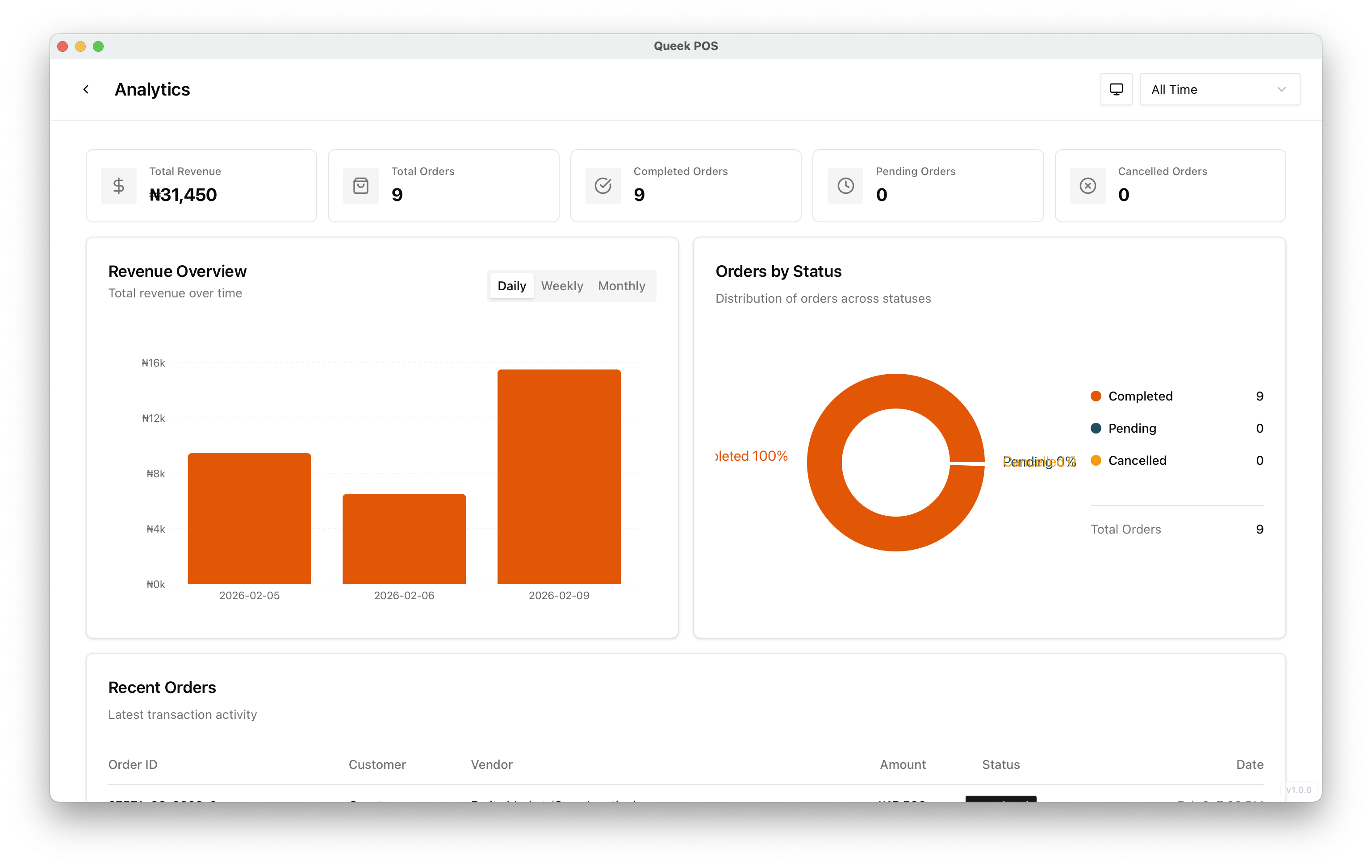
An order system only earns trust if nothing falls through it. Queek keeps one queue and one record per order, so what was promised, paid, and delivered is always clear.

Nothing missed

Every order from every channel surfaces in the same queue, so none sit unseen in a chat.

A full record

Each order keeps its items, payment, customer, and status changes, so you can always trace it.

Clear accountability

Assignments and actions are logged to staff, so it is always clear who handled what.

Questions

What businesses ask about the order queue.

Honest answers on channels, status, payments, and how orders tie into the rest of Queek.

Do orders from every channel really land in one place?

Yes. Orders from your online store, the WhatsApp AI Agent, Instagram, the POS, QR tables, and the marketplace all arrive in the same queue, each tagged with the channel it came from. You do not switch apps to see them.

What is the order flow?

Every order moves through one consistent flow: new, accepted, preparing, ready, out for delivery, and completed. You can accept or reject an order, and the customer is updated as its status changes, without you typing each message.

Is the payment shown on the order?

Yes. Each order shows whether it is paid. Bank transfers can be auto-confirmed and card payments confirm against the order, so a paid order is clearly marked and you never chase a screenshot of proof.

Can I assign orders to staff or a branch?

Yes. An order can be assigned to a cashier, the kitchen, or a specific branch, and every action is logged to the staff member who took it, so it is always clear who is handling each order.

Can I issue refunds or cancel an order?

Yes. You can cancel an order or issue a refund directly from it, and the change stays on the order's own record alongside its notes and status history.

How does the queue connect to delivery and stock?

It is one system. Accepting an order decrements catalog stock, a ready order can be pushed to a rider or pickup with tracking sent back to the customer, and the order saves to the customer's history. Orders, payments, delivery, and the catalog all read from one record inside Queek OS.

Start with one queue

Put every order in one place.

Bring your store, WhatsApp, Instagram, POS, and QR orders into one queue on one flow, with payment, customer, and fulfillment attached, all from one place in Queek OS.

Every channel · One queue · No card required