One operating system for every way you sell.Start for free
Queek logo
Catalog & Inventory · Queek OS

Upload a product once. Sell it.

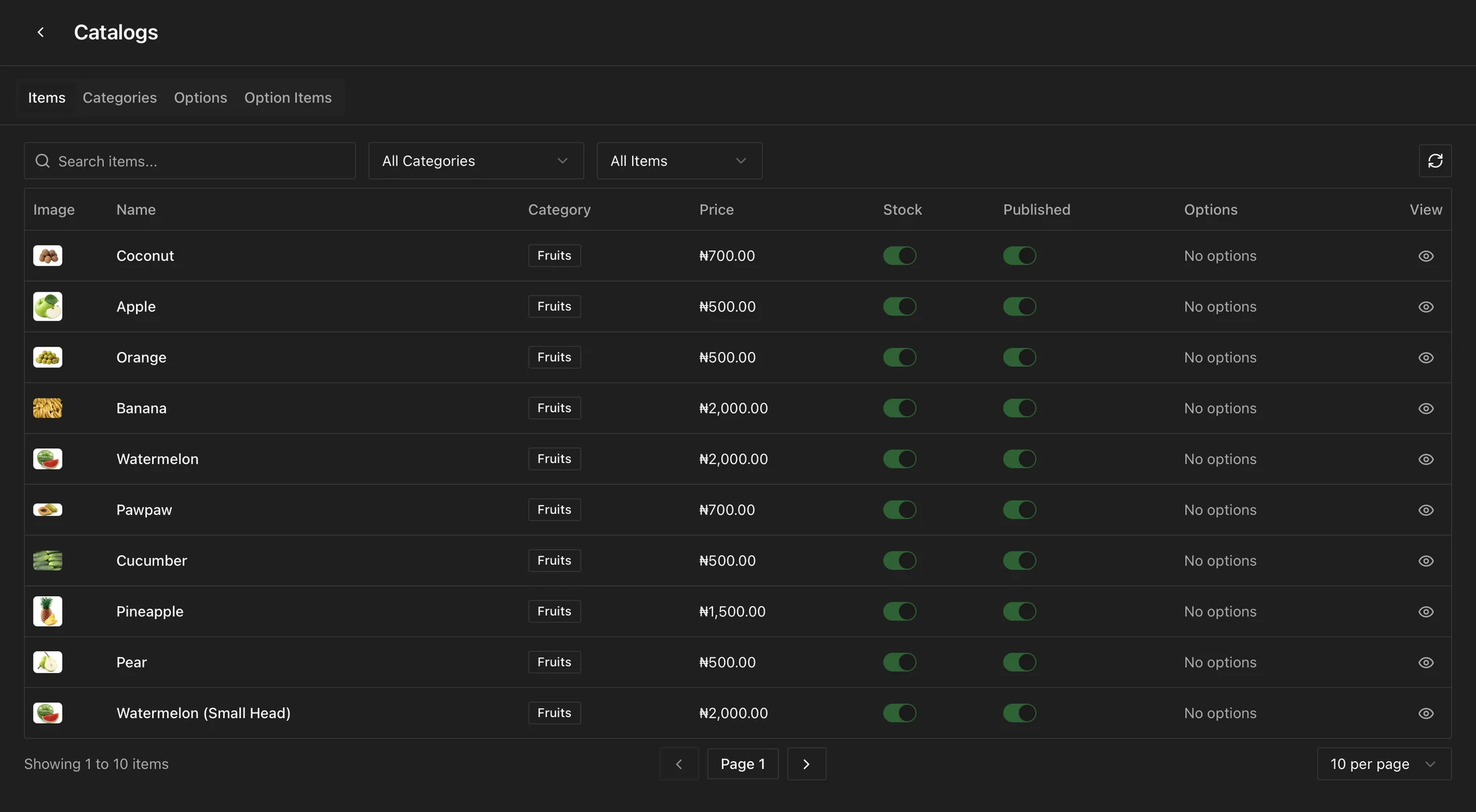
One catalog sits behind your online store, WhatsApp, Instagram, the POS, and the marketplace. Add a product, set its variants, and stock stays in sync everywhere in real time. Sell one at the counter and the online store stock drops too. Never re-enter a product, never oversell.

One catalog, every channelReal-time stock syncLow-stock alerts
Queek OS · Catalog · New product

Ankara Wrap Dress

SKU AWD-204 · ₦18,500

Saved

Variants

  • S · Indigo6 in stock
  • M · Indigo9 in stock
  • L · Terracotta9 in stock
Live onOnline StoreWhatsAppInstagramPOSMarketplace

One catalog behind every channel — add a product once, and stock stays right everywhere.

Inventory today

The same product, re-entered in five places, wrong in three.

Stock lives in a spreadsheet, a notebook, and the back of someone's head. A sale on the counter never reaches the online store, so two customers buy the last one. Every channel is its own list to keep updated, and they all drift apart.

Stock by hand

Every channel is its own list to babysit.

  • The same product typed again for the store, WhatsApp, and the POS
  • A counter sale never reaches the online store, so you oversell
  • Stock counts kept in spreadsheets that go stale by lunchtime
  • No alert before a fast-mover quietly runs out
One catalog

Add it once, and it stays right everywhere.

  • Upload a product once with its variants, prices, and media
  • Sell anywhere and stock updates across every channel in real time
  • Low-stock alerts before a best-seller runs out
  • One source of truth your whole business reads from
The signature moment

Sell one anywhere, and every channel knows.

Watch one product's stock as orders land from different channels. A sale at the counter, an order on WhatsApp, a checkout in the online store — each one ticks the same number down everywhere at once. When it runs low, every channel hears about it. When it hits zero, no channel can oversell it.

  • One number, everywhere

    Every channel reads the same live stock count, not its own copy.

  • Updated as it sells

    Each order anywhere adjusts stock across all channels instantly.

  • Never oversold

    Hit zero and the product stops selling on every channel at once.

Ankara Wrap Dress · AWD-204

One catalog · live stock

In sync

In stock

12

Opening count

Ready to sell across every channel

The same stock, on every channel

  • Online Store12
  • WhatsApp12
  • Instagram12
  • POS · Counter12
  • Marketplace12
What the catalog does

Everything a product needs, in one place.

Not a spreadsheet bolted onto a store. The catalog and its stock live inside the same Queek OS that runs your orders, payments, POS, and AI Agent, so every part of the business reads from one record.

Upload once

Add a product a single time and it publishes to every channel you sell on, no copy-paste between apps.

Variants & options

Sizes, colours, weights, and packs, each with its own price and stock, all under one product.

Real-time stock sync

Sell on any channel and stock updates everywhere at once, so counts never drift apart.

Low-stock alerts

Set a threshold per product and get told before a fast-mover runs out, not after.

Bulk import

Bring an existing catalog in from a spreadsheet and start selling without retyping it.

Categories & collections

Group products into categories and collections so customers browse the way you merchandise.

Product media

Multiple photos per product, shown the same way across the store, social, and chat.

Barcode & SKU

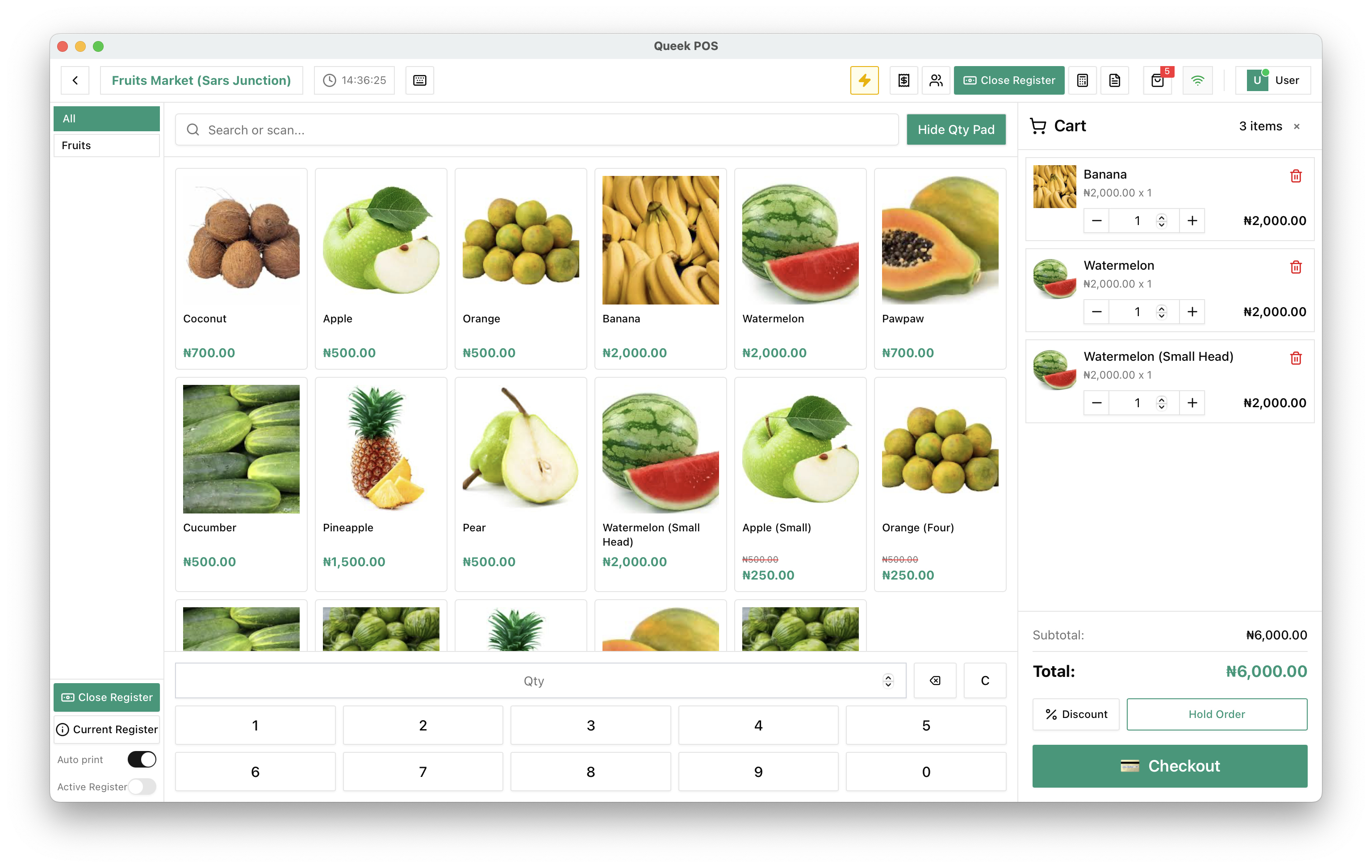
Give every product a SKU and barcode so it scans at the POS and reconciles cleanly.

One product
5 channels · 1 stock count
Same source of truth
One catalog · one stock count
Online Storereads it
WhatsApp AI Agentreads it
POS · Counterreads it
Marketplacereads it
One layer of the OS

The same catalog everything else reads from.

The catalog is not a standalone tool. Your orders, POS, online store, and AI Agent all read the same products, prices, and stock, so what a customer is told and what you have on hand are always the same thing.

  • Orders read the catalog

    Every order across channels prices and counts against the same products.

  • The POS reads the catalog

    Scan at the counter and the sale draws from the same live stock.

  • The AI Agent reads the catalog

    WhatsApp replies quote real prices and real availability, never a guess.

Multi-location stock

More than one branch? Stock knows where it is.

Track stock per location and let each branch sell from what it actually holds. A sale in one shop draws from that shop's count, while the catalog, prices, and product details stay shared across all of them.

Stock per branch

Each location keeps its own count, so what a branch can sell reflects what is on its shelves.

One shared catalog

Products, variants, prices, and media are defined once and shared across every location.

Move and reconcile

Transfer stock between branches and keep a clean record of where every unit went.

Who runs on one catalog

Built for businesses with stock to keep straight.

Fashion & retail

Fashion & retail

Sizes and colours as variants, each with its own stock, sold across the store and the DMs.

Supermarkets & grocers

Supermarkets & grocers

Thousands of SKUs imported in bulk, scanned at the till, and counted down as they sell.

Pharmacies & essentials

Pharmacies & essentials

Tight stock control with low-stock alerts so a needed item is never quietly out.

Kitchens & food

Kitchens & food

Mark a dish sold out once and it disappears from every channel at the same moment.

Built to be accurate

Stock you can trust, not a number you hope is right.

Inventory is only useful if it is correct. Queek keeps one live count that every channel and every staff member reads from, so the catalog reflects what you actually have.

One source of truth

There is one stock count per product, not a copy per channel that quietly disagrees.

Never oversold

When a product hits zero it stops selling everywhere, so two customers never buy the last one.

A clear record

Every sale, import, and adjustment is tracked, so you can see how stock moved and why.

Questions

What businesses ask about catalog and stock.

Honest answers on syncing, variants, importing, and how the catalog ties into the rest of Queek.

Do I have to add my products separately for each channel?

No. You add a product once and it publishes to your online store, WhatsApp, Instagram, the POS, and the marketplace at the same time. You can choose to hide a product from a specific channel, but you never re-enter it.

How does stock stay in sync across channels?

There is one stock count per product. Every channel reads from it and every sale writes back to it in real time, so a sale at the counter and a checkout online both adjust the same number. The channels never keep separate copies that drift apart.

Can I handle products with sizes, colours, or packs?

Yes. Each product can have variants for sizes, colours, weights, or packs, and each variant carries its own price and stock count under the same product.

Can I import a catalog I already have?

Yes. You can bring an existing catalog in from a spreadsheet in bulk, so you start selling without retyping every product.

Will Queek stop me from overselling?

Yes. When a product reaches zero it stops selling on every channel at once, so two customers can't both buy the last unit from different places. Low-stock alerts warn you before it gets there.

Does the catalog work with the POS and AI Agent?

It is the same catalog. The POS scans and sells against the same stock, and the WhatsApp AI Agent quotes the same real prices and availability. Orders, payments, and the catalog all read from one record inside Queek OS.

Start with one catalog

Put one catalog behind every channel.

Upload your products once, set their variants, and let stock stay in sync across your store, WhatsApp, the counter, and the marketplace, all from one place in Queek OS.

Upload once · Stock synced everywhere · No card required