One operating system for every way you sell.Start for free
Queek logo
Queek for Multi-location Businesses

Every branch.Run from .

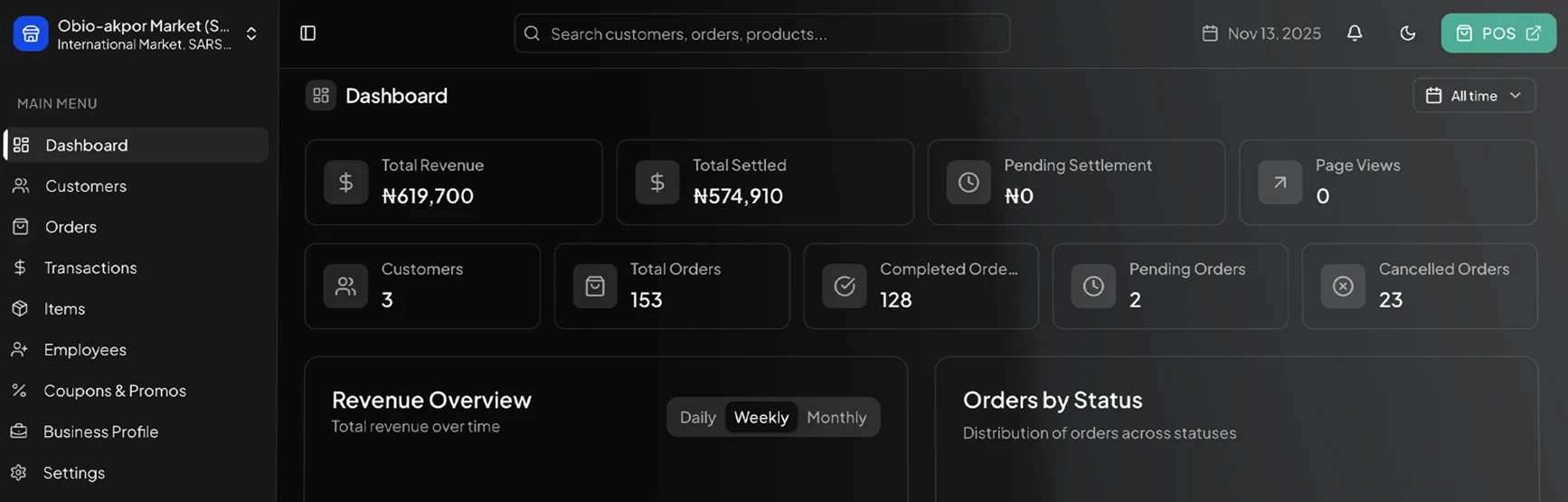
Run every branch on one Queek OS. One shared catalog, per-branch stock and pricing, staff and permissions set per branch, and one head-office view of sales, inventory, and performance across all of them.

One login, every branchPer-branch controlFree to start

Head office

Monday · all branches

Live

Branches open

4 / 4

Staff on shift

18

Low-stock alerts

7

Every branch, one screen

  • LekkiLagos

    5 on shift · 2 low-stock

    Low stock
  • IkejaLagos

    4 on shift · Peak hour

    Busy
  • YabaLagos

    4 on shift · Steady

    Open
  • IbadanOyo

    5 on shift · Steady

    Open

Every branch on its own system is a guess. On one Queek OS, it's a glance.

The multi-branch problem

Every branch became its own island.

Open a second outlet and the trouble starts: separate spreadsheets, prices that drift apart, no honest head-office view, and stock stuck in the wrong branch while another runs out.

Branches running apart

Each outlet keeps its own books

  • A different spreadsheet, price list, and stock count per branch
  • Prices and promos drift apart, customers notice the difference
  • No live head-office view, you wait for end-of-day photos and calls
  • Can't compare branches fairly or see which one is slipping
  • Stock sits idle in one branch while another sells out
  • Staff and access managed by hand, branch by branch
Branches running as one

Run everything on one Queek OS

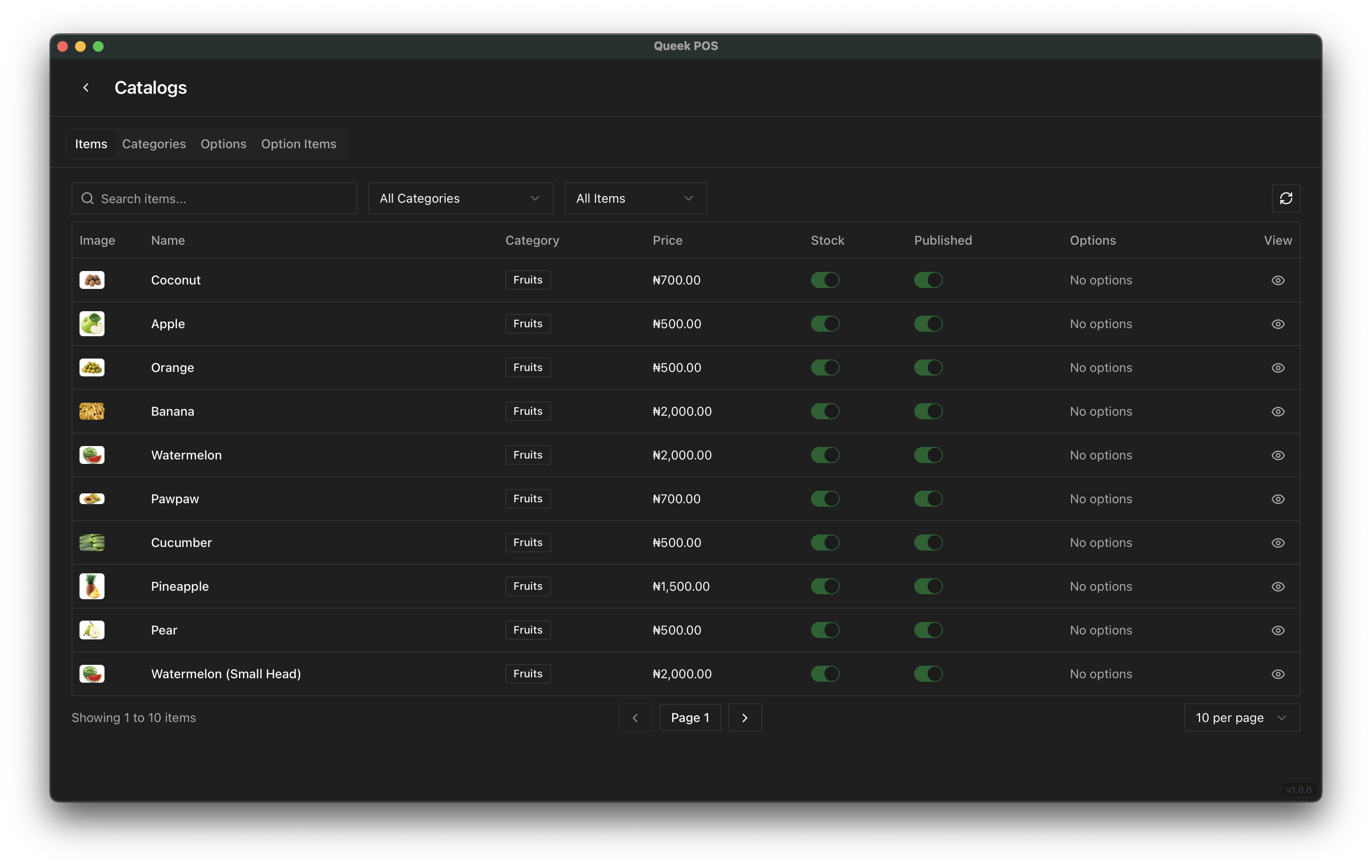
  • One shared catalog, with stock and pricing set per branch
  • Change a price once, push it to the branches you choose
  • One head-office view of sales, stock, and staff across all branches
  • Compare branches side by side on the same numbers
  • Move stock between branches in a few taps when one runs low
  • Set each person's role and branch, central control with local autonomy
Run operations

One catalog above, every branch below.

One catalog above every branch, stock and staff controlled per location, and a single roll-up of how the whole business is doing.

Shared catalog, per-branch control

One catalog, priced per branch.

One product list sits above every branch. Set price and stock per location, so a product can cost ₦7,800 in Lekki and ₦7,500 in Ibadan, or sit out of stock in one branch and full in another, all from the same record.

  • Edit a product once, choose which branches it applies to
  • Per-branch price, stock count, and availability
  • New branch inherits the catalog the day it opens
Golden Penny Rice 5kg
1 record · 4 branches
LekkiLagos
42 in stock
₦7,800
IkejaLagos
Out of stock
₦7,800
YabaLagos
30 in stock
₦7,650
IbadanOyo
18 in stock
₦7,500

One product, priced and stocked per branch

Per-branch stock & transfers

Stock stuck here, needed there.

Each branch has its own live stock count. When one runs low and another has surplus, move stock between branches in a few taps, and both counts update the moment it's confirmed.

  • Independent, live stock per branch
  • Transfer stock branch to branch, both counts update
  • Low-stock alerts tell head office where to rebalance
Stock transfer
Confirmed
Indomie Carton · 12 units

From · Ibadan

46 34

To · Lekki

6 18

Both branch counts update the moment it confirms

Staff & permissions per branch

A role and a branch for every person.

Add a cashier to one branch, make someone a manager of another. Each person sees and does only what their role and branch allow, while head office keeps full reach across everything.

  • Assign people to branches with a role each
  • Roles decide who can sell, price, transfer, or report
  • Central control, local autonomy for branch managers
Staff & access
By branch
B
Bola A.Lekki
Prices, stock, staff
Branch manager
T
Tunde O.Ikeja
Prices, stock, staff
Branch manager
N
Ngozi E.Yaba
Sell, view reports
Supervisor
S
Sefiu B.Ibadan
Sell & take orders
Cashier
Consolidated reporting

One total, then branch by branch.

One roll-up of sales, stock, and performance across every branch, with the ability to drill into any single one or compare them on the same numbers. No more waiting for each outlet to send its figures.

  • Group total, then drill into any branch
  • Compare branches on the same metrics
  • Today, this week, or any range, live
This week · all branches
₦6.2m
  • IkejaLagosTop branch₦2.1m
  • LekkiLagos₦1.8m
  • IbadanOyo₦1.4m
  • YabaLagosNeeds a look₦0.9m

Compared on the same numbers, no waiting for figures

Head office, in control

Drill into a branch, then balance it from your desk.

Head office sees every branch at once, opens any one for its stock and staff, and moves inventory where it's needed, without a single phone call. This is lateral control across branches, not a report you read after the fact.

  • Open any branch for its live stock, staff, and status

  • See the manager and their access on the same screen

  • Move stock from a branch with surplus to one running low

  • Both branch counts update the moment the transfer confirms

Head office · control

4 branches · stock balancing

Live
  • LekkiLagos

    Bola A. · Manager

    Open
  • IkejaLagos

    Tunde O. · Manager

    Source
  • YabaLagos

    Ngozi E. · Supervisor

  • IbadanOyo

    Sefiu B. · Manager

B

Bola A.

Lekki branch

Branch manager
Stock balancingGolden Penny Rice 5kg

Ikeja

28

Lekki

18

Balanced, both branch counts updated
Roles & control

Who can do what, in which branch.

Give head office full reach and keep each branch in its lane. Every person gets a role and a branch, and Queek enforces it everywhere they work.

Capability
OwnerHead office
Branch manager
Supervisor
Cashier
See all branches
Branch
Branch
Sell & take orders
Edit prices
Branch
Move stock between branches
Branch
Add & manage staff
Branch
View reports
Branch
Branch
Full accessBranchTheir branch onlyNo access
Built for many branches

Everything a multi-branch business needs, in one OS.

The catalog, stock, staff, payments, and reporting that one outlet runs on, scaled cleanly to as many branches as you open.

Shared catalog

One product list above every branch, edited once.

Per-branch stock

A live, independent stock count for each location.

Stock transfers

Move inventory branch to branch in a few taps.

Staff & roles

Assign people to branches with the access they need.

Consolidated reports

One roll-up, then drill into any single branch.

Compare branches

Rank outlets on the same metrics, side by side.

Branch POS & orders

Every branch sells in-store and online from one catalog.

Add a branch fast

A new outlet inherits catalog and settings on day one.

Who runs Queek across branches

One OS for any business with more than one outlet.

Retail chains

Retail chains

Supermarkets and shops with several outlets keep one catalog, per-branch stock, and one view of every till.

Restaurant groups

Restaurant groups

Multiple locations share one menu and pricing, take orders per branch, and report up to head office.

Pharmacy chains

Pharmacy chains

Branches each track their own stock and availability while head office sees and balances all of it.

Franchises

Franchises

Give each franchisee their branch and staff, keep the brand catalog and pricing under central control.

Why owners switch

Run more branches without losing the thread.

Before Queek, every branch sent me a photo of their book at night. Now I open one screen and see all of them, and I move stock between branches without a single call.
Multi-branch ownerThree retail outlets
Each manager only touches their own branch, but I see everything. Opening a fourth outlet took an afternoon because it just inherited our catalog.
Operations leadRestaurant group

One catalog above your branches. Every Queek channel under each one.

Barcode POSOnline storeWhatsApp AgentPaymentsDeliveryAI CopilotInventoryRoles & access
Multi-location questions

Running several branches, answered.

How catalog, stock, staff, and reporting work once you have more than one outlet.

Do all my branches share one catalog?

Yes. You build the product list once and it sits above every branch. Each branch then has its own price, stock count, and availability, so you control centrally and still adjust per location.

Can each branch have its own stock and prices?

Yes. Stock is counted independently per branch, and pricing can be set per branch or shared. A product can be full in one outlet and out in another, at a different price, from the same record.

How do I move stock between branches?

From head office you pick the item, the source branch, and the destination, and confirm. Both branch counts update the moment the transfer is confirmed, so nothing is double-counted.

Can I control what staff in each branch can do?

Yes. Each person gets a role and a branch. Roles decide who can sell, edit prices, move stock, manage staff, or see reports, and most roles are scoped to their own branch while head office keeps full reach.

Can I compare branches and see one total?

Yes. Reporting rolls every branch into one view, and you can drill into a single branch or compare outlets on the same metrics, for today, this week, or any range.

How hard is it to add a new branch?

It takes minutes. A new branch inherits your catalog and settings on day one, then you set its stock, prices, and staff. There's no separate system to set up for each outlet.

Run every branch on Queek

One catalog, every branch, all on one Queek OS.

Open your branches under one catalog, control stock and staff per location, and see the whole business on one screen. Free to start, on every channel.

Unlimited branches · No card required · Free plan available